using MyCompany.MyProject.Entities;
using MyCompany.MyProject.EntityFramework;
using System.Linq;
namespace MyCompany.MyProject.Migrations.SeedData
{
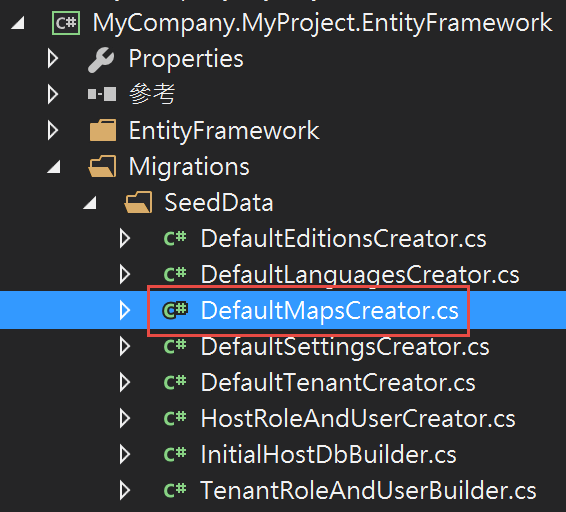
class DefaultMapsCreator
{
private readonly MyProjectDbContext _context;
public DefaultMapsCreator(MyProjectDbContext context)
{
_context = context;
}
public void Create()
{
CreateMaps();
}
public void CreateMaps()
{
var defaultMap = _context.Maps.FirstOrDefault(t => t.MapName == Map.DefaultMapName);
if (defaultMap == null)
{
_context.Maps.Add(new Map { MapName = Map.DefaultMapName });
_context.SaveChanges();
}
}
}
}
Player產生器:DefaultPlayersCreator.cs
using MyCompany.MyProject.Entities;
using MyCompany.MyProject.EntityFramework;
using System.Linq;
namespace MyCompany.MyProject.Migrations.SeedData
{
class DefaultPlayersCreator
{
private readonly MyProjectDbContext _context;
public DefaultPlayersCreator(MyProjectDbContext context)
{
_context = context;
}
public void Create()
{
CreatePlayers();
}
public void CreatePlayers()
{
var defaultPlayer = _context.Players.FirstOrDefault(t => t.PlayerName == Player.DefaultPlayerName);
if (defaultPlayer == null)
{
_context.Players.Add(new Player { PlayerName = Player.DefaultPlayerName });
_context.SaveChanges();
}
}
}
}
2.Migrations SeedData Builder
Player與Map建立:PlayerAndMapBuilder.cs
using MyCompany.MyProject.EntityFramework;
namespace MyCompany.MyProject.Migrations.SeedData
{
public class PlayerAndMapBuilder
{
private readonly MyProjectDbContext _context;
public PlayerAndMapBuilder(MyProjectDbContext context)
{
_context = context;
}
public void Create()
{
new DefaultMapsCreator(_context).Create();
new DefaultPlayersCreator(_context).Create();
}
}
}
using System.Data.Entity.Migrations;
using Abp.MultiTenancy;
using Abp.Zero.EntityFramework;
using MyCompany.MyProject.Migrations.SeedData;
using EntityFramework.DynamicFilters;
namespace MyCompany.MyProject.Migrations
{
public sealed class Configuration : DbMigrationsConfiguration<MyProject.EntityFramework.MyProjectDbContext>, IMultiTenantSeed
{
public AbpTenantBase Tenant { get; set; }
public Configuration()
{
AutomaticMigrationsEnabled = false;
ContextKey = "MyProject";
}
protected override void Seed(MyProject.EntityFramework.MyProjectDbContext context)
{
context.DisableAllFilters();
if (Tenant == null)
{
//Host seed
new InitialHostDbBuilder(context).Create();
//Default tenant seed (in host database).
new DefaultTenantCreator(context).Create();
new TenantRoleAndUserBuilder(context, 1).Create();
}
else
{
//You can add seed for tenant databases and use Tenant property...
}
new PlayerAndMapBuilder(context).Create();
context.SaveChanges();
}
}
}
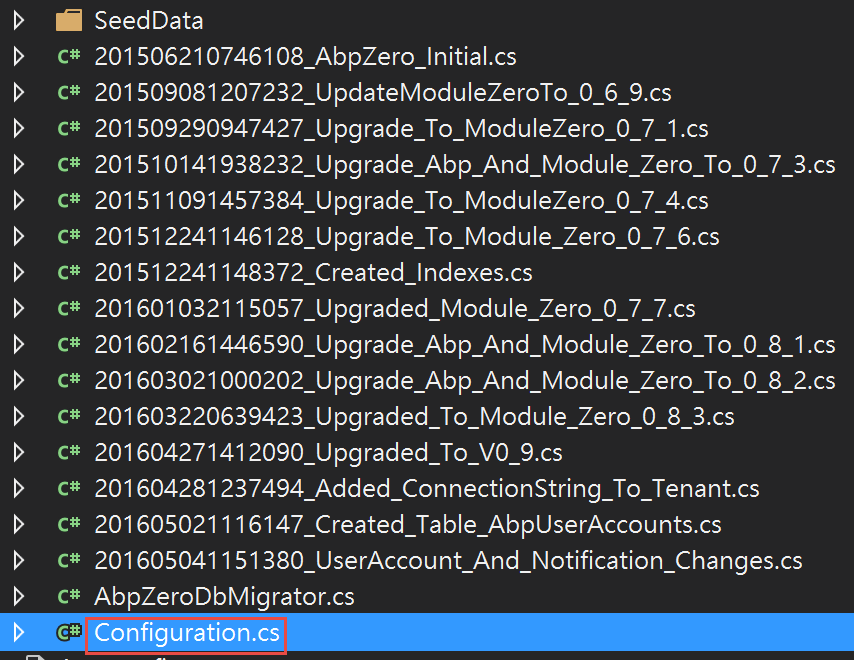 我們到最下面SaveChanges之前加上PlayerAndMapBuilder的呼叫
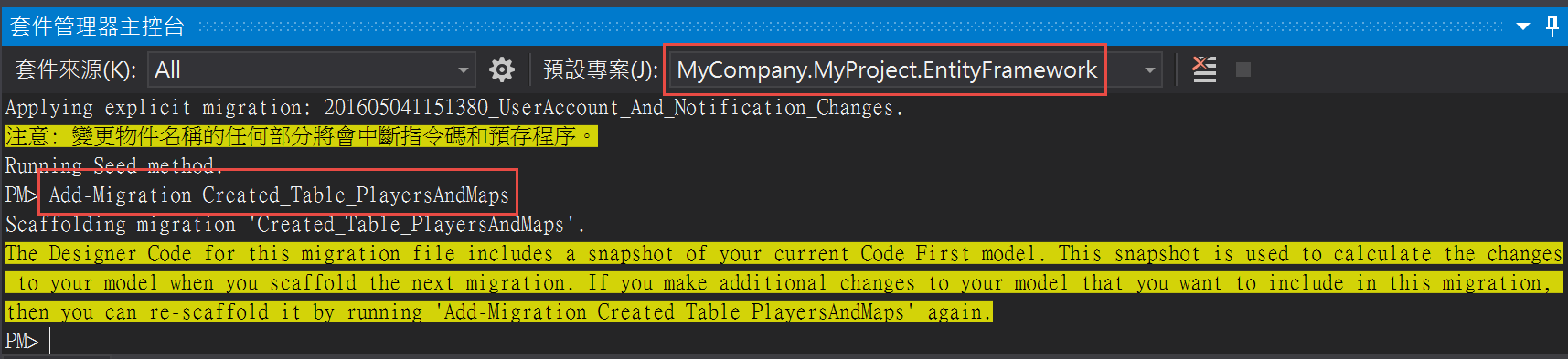 成功後會自動產生一個檔案 MyCompany.MyProject.EntityFramework\Migrations\201607270707459_Created_Table_PlayersAndMaps.cs
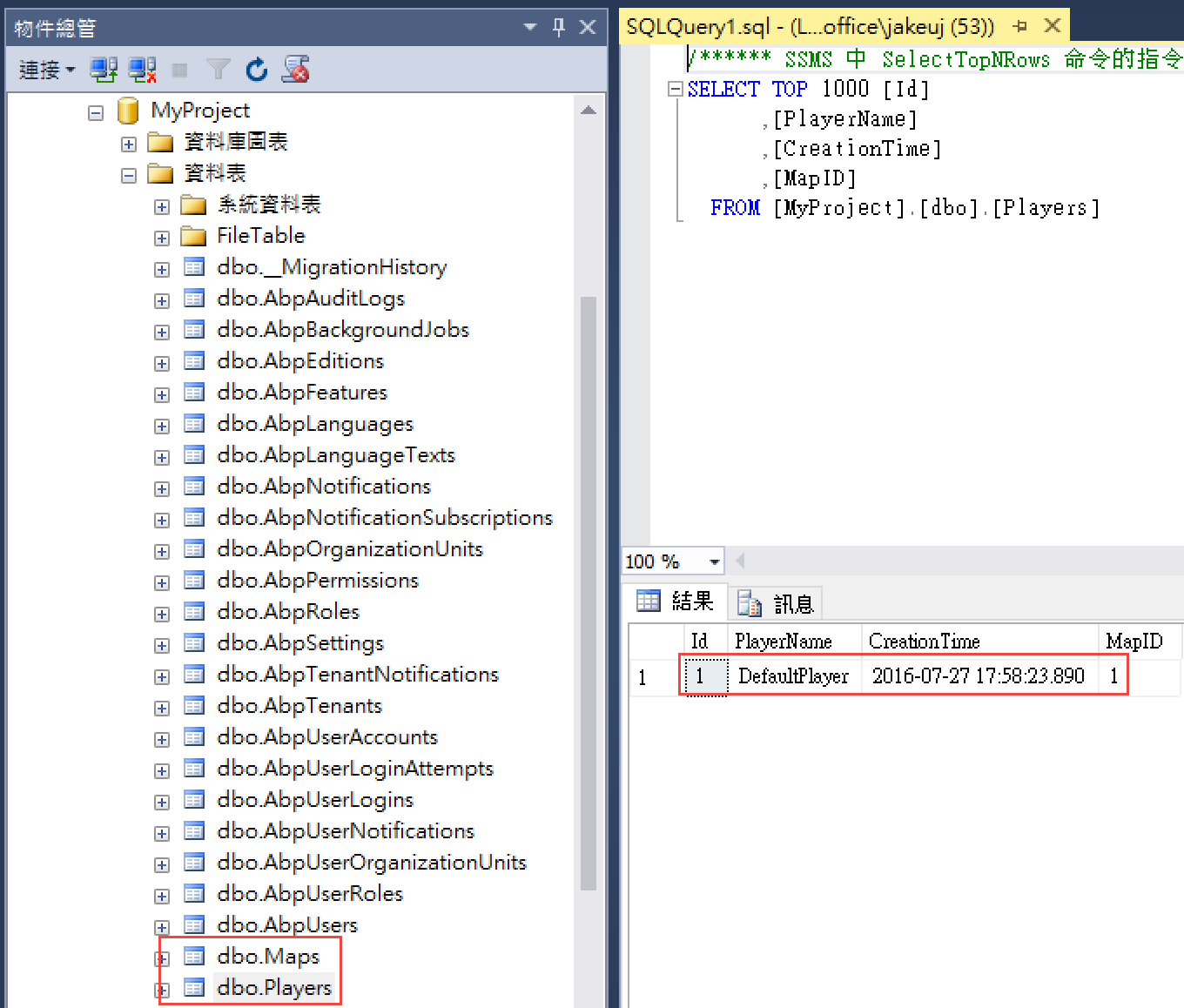 同時也會建立關聯性
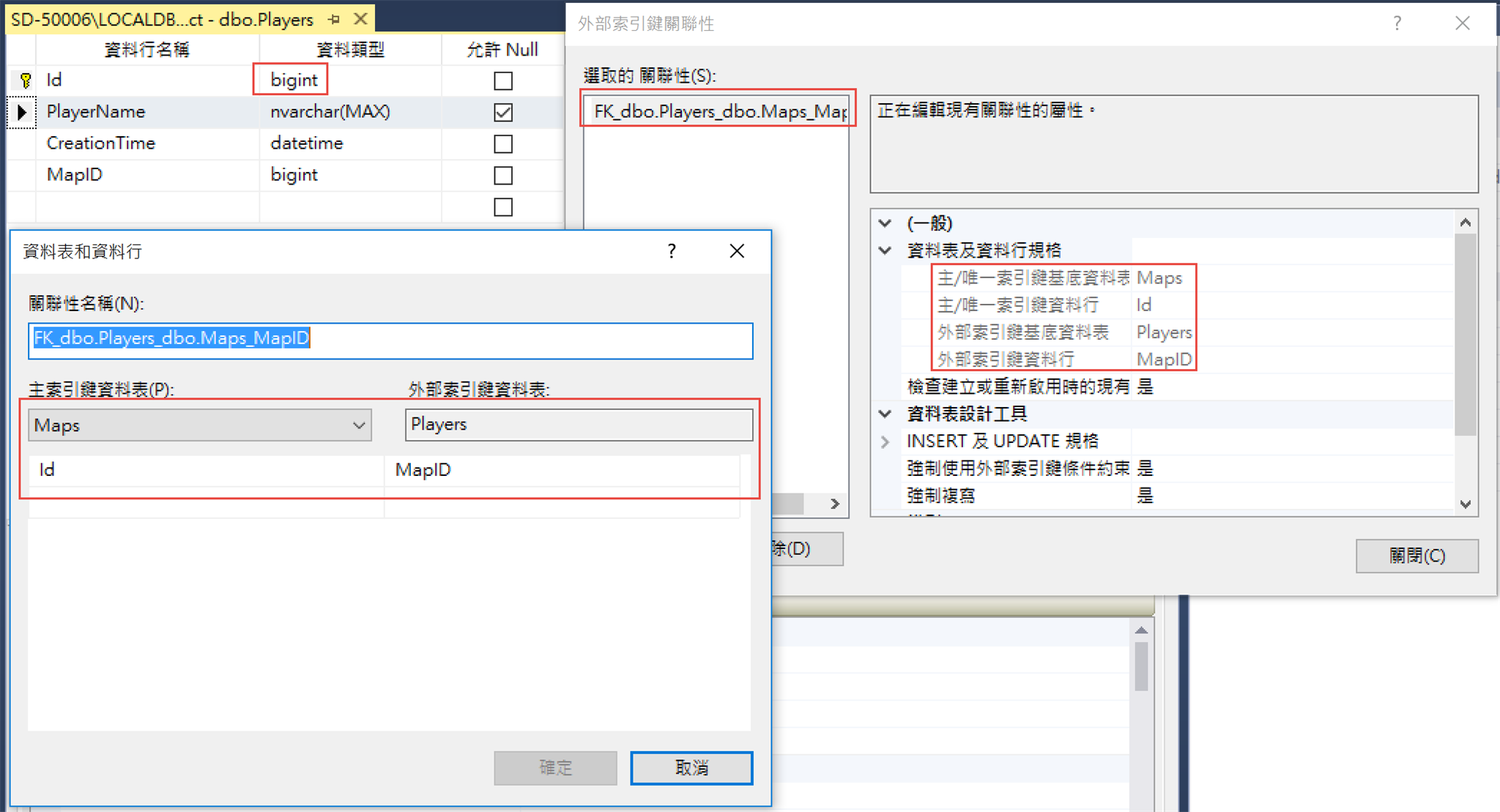 到這邊Migration部分就先到這邊,下一篇是建立資料倉儲的部分